Top tech of 2010

imageLast year, for the first time, I produced a list of my top tech for 2009. I thought that it would be interesting to do the same in 2010 to see how things have changed, if at all. So this is the technology that I used day-in, day-out in 2010 and could not do without.

Google Chrome

No change here and, in fact, I am more wedded to Chrome this year than I was last having used it for a full 12 months I still much prefer it to both Internet Explorer and Firefox. The addition of extensions has just … Read the rest

Now This is Getting Ridiculous

iPad BackupI wrote a while back about the stupid amount of time my iPad backup was taking and moaned that it had taken a ridiculous three hours. My solution to this was to use BackOff to disable the automatic backups during sync. However, this means that if there is ever a problem you cannot do a restore so it is important to do the occasional backup, which is what I did yesterday afternoon and now, some, 16 hours later is still only 75% of the way through!

Let me repeat that…

My iPad backup is going to take a massive 21 … Read the rest

iPad on Tour – Blogging

As I said in my previous post I am currently away on holiday and have only brought with me my iPad, rather than a laptop of some description. Over the next couple of posts I am going to look at the apps that I have been using for various different tasks, starting with blogging.

I have a couple of blogs and post to each on an irregular basis. When I am at home I use Windows Live Writer which, in my opinion, is the best blogging app by far and is the only reason I continue to run parallels on … Read the rest

iPad Backing up – please wait.

Is your iPad taking forever to backup? Mine is. After several aborted attempts I finally got a full backup done taking a massive three hours and that was after I had deleted off some large apps. Three hours for a device that is less than half full.

Feeling that there had to be a solution to this once again took me to the net and I quickly discovered that I was not the only one with an issue, but nobody had an answer. There is, however, what I consider to be a workaround and that is turning off backups altogether. … Read the rest

Clipping to Evernote from iPhone Safari Browser

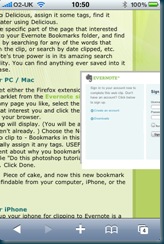
Img001_320x480 One of my favourite tools is Evernote, the note taking application. I regularly find snippets of information on the internet that I want to retain and come back to later. Evernote provides a number of tools that sit in the browser allowing you to clip directly to your account. This is enormously helpful and I have always wished that I could do the same from the browser of my iPhone. Well, I discovered this weekend that you can. Rather than repeat the tip you can go here to see what you need to do.

Perfect Evernote bliss has finally been … Read the rest

A Better Perspective

Candidate CentreI consider myself to be a power Googler. Not only can I bang in keywords but I can also use boolean operators and search operators, such as filetype: & site:. However, I discovered yesterday that this all counts for nothing if you don’t know what it is that you are searching for.

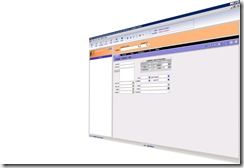
One of my clients is going through a website refresh and was looking to put some screenshots on the home page but they wanted them to appear to be disappearing into the distance, rather like that shown in the picture to the left.

No problem I thought. I … Read the rest

MacBook Pro

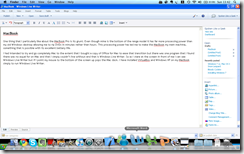
Screen shot 2009-11-08 at 13.42.37 One thing that I particularly like about the MacBook Pro is its grunt. Even though mine is the bottom of the range model it has far more processing power than my old Windows desktop allowing me to rip DVDs in minutes rather than hours. This processing power has led me to make the MacBook my main machine, something that is possible with its excellent battery life.

I had intended to try and go completely Mac to the extent that I bought a copy of Office for Mac to ease that transition but there was one program that I found there … Read the rest

Windows 7 vs. Mac OS X Snow Leopard

image Well to date I have upgraded two machines to Windows 7 and I have to say that the whole thing has been a pleasurable experience. Not only has it breathed new life into a couple of old machines but also I am liking the improvements that have been made. I particularly like how you can drag a window to one side of the screen and it will automatically resize to fill 50% of the screen.

However, there is been a bit of a change at Thompson Manor with the addition of the first Apple Mac machine, a MacBook Pro to … Read the rest

Installing Windows 7

imageWell I am still on Windows XP despite having had two copies of Windows 7 for a couple of days now. The problem stems from the fact that the version of Windows 7 I want to install on my XP machine has been downloaded (legally) but I need to run it from a DVD as a fresh install. You would think that this would be no problem but the files arrive from Microsoft as an exe and a couple of box files. This are expanded out into the disk contents on your hard drive but that is useless if you … Read the rest

Isn’t this due on Thursday?

image When I got home this evening there was a parcel awaiting for me. Much to my surprise it contained my copy of Windows 7. I had been told by the supplier (PC World) that they had been embargoed by Microsoft from delivering these before the official launch day of October 22nd. I’m not sure if this was a pre-emptive strike (every pun intended) to avoid any industrial action by the postal workers at the end of the week or just an act of kindness on the part of PC World. Either way it is gratefully accepted and expect me to … Read the rest