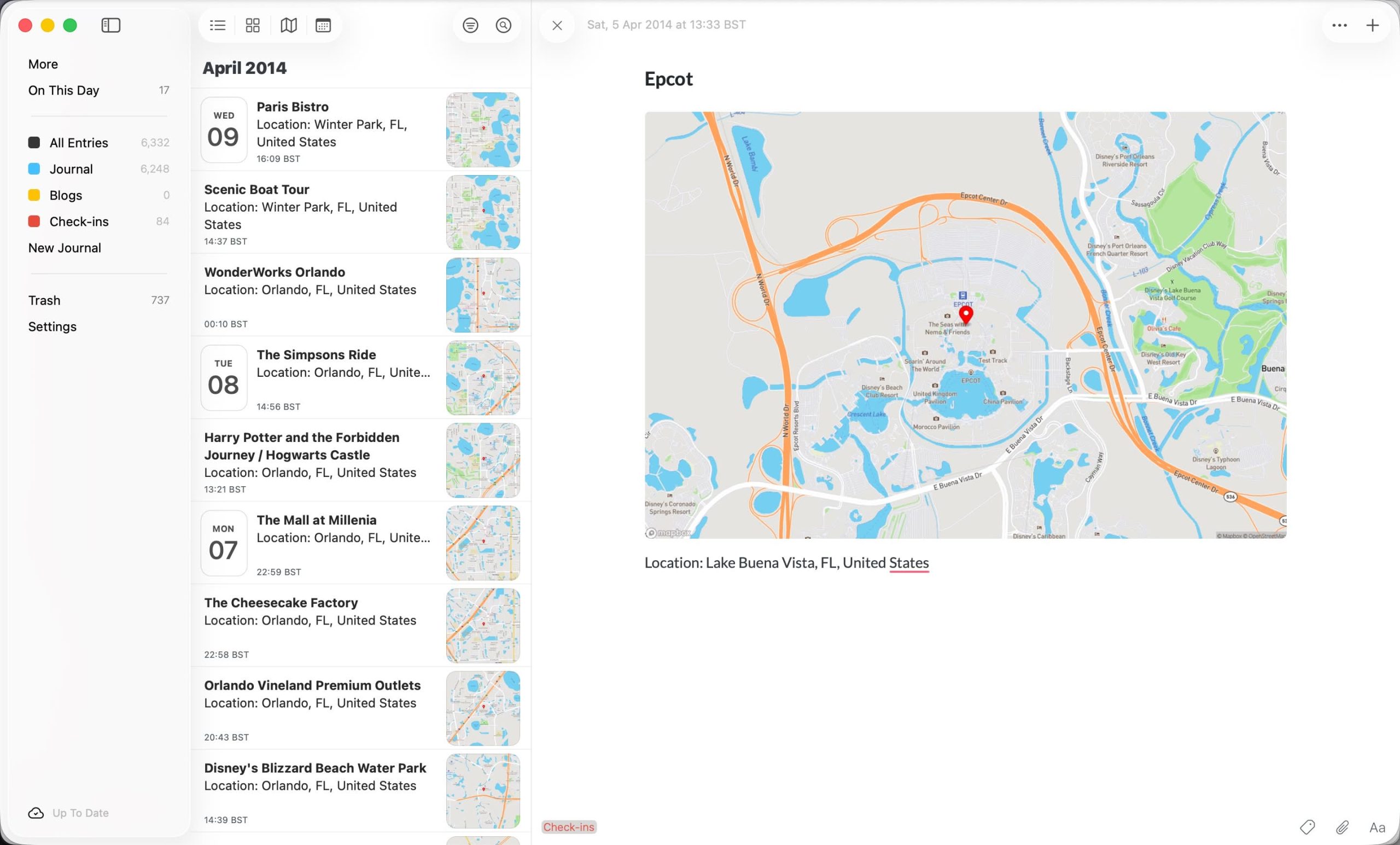
Over the last year I have written a number of scripts that take information or data from one source and ports that over to the Day One journaling app. Below are all the ones I have written and use on a regular basis, collected here to make it easier to find them all.
Last.fm
If you “scrobble” your listened tracks (you can do it from Spotify, for example) this script will import them into a formatted entry with a link to the track entry on last.fm.
Foursquare/Swarm
I think that my wife thinks that I am a bit sad for checking in on the Swarm app everywhere I go but has to admit that it is very useful to look back and see where you went when. Now, you can import those check-ins as an entry into Day One along with a map showing the location (see image above).
WordPress
Got a WordPress blog? Import your posts to your Day One journal. Most of the formatting options are carried across but, due to limitations on Day One, not all images will be included so things such as galleries are quietly dropped.
SQL
Like to get your hand’s dirty? Maybe you want to go deeper on your data? Then accessing the database via SQL might be for you (if you are brave!)
Here are a couple of examples of what I have done accessing the database directly:
Handwritten Diaries
Over the last few years, I have been transcribing 13 handwritten paper diaries into Day One… by hand, typing out each one laboriously. I tried using AI transcription once before, but it was, frankly, rubbish. However, I tried again recently and have had much better results, so I automated as much of the process as I could.Give it a go here.
Create a Word cloud
Based on accessing the Day One database directly, this integration goes through your entries and works out which words you’ve used the most, after removing “stop” words (at, a, and, the, etc.), and then displays the results as a word cloud.