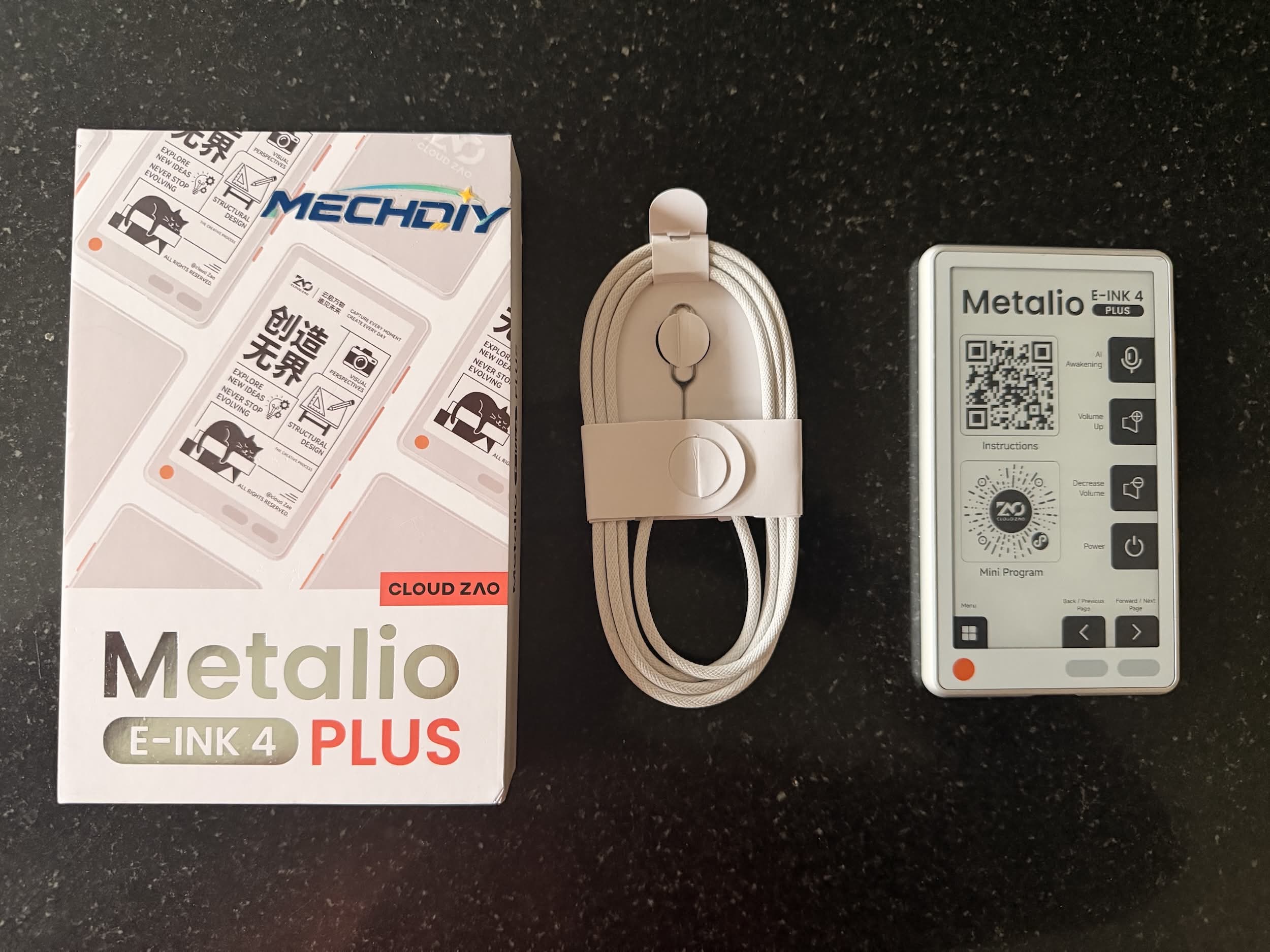
When Xteink brought out their original X4 device in late 2025, they effectively created the sub-4.5-inch, sub-$100 “microreader” category. However, competitors weren’t slow to catch on to the popularity of this category and now there are several others. Today I have one of those competitors to review – the Metalio E-INK4 Plus, kindly provided to me by Mechdiy.
As you will see in the accompanying video I have no idea how you pronounce Metalio but I am going to go with “Metal-eye-oh”. I have no idea if that is correct but feel free to let me know in the comments!
Introducing the Metalio E-INK4 Plus
The Metalio E-INK4 Plus is a 4.7-inch ESP32-based microreader built with an aluminium alloy frame and glass back. Unlike the Xteink X4, it adds a touchscreen, adjustable front light, and a much larger battery—while retaining native compatibility with open-source CrossPoint firmware.
Specifications
These are the published specification of the E-INK4 Plus:
| Feature | Specification |
|---|---|
| Display | 4.7-inch E Ink, 684 × 1216 resolution (297 PPI), 16-level grayscale, matte anti-glare finish |
| Front Light | Yes (adjustable brightness; cool/warm options depending on listing) |
| Controls | Dual input: Capacitive touchscreen + physical page-turn/navigation buttons |
| Processor & RAM | ESP32-S31 dual-core (320 MHz) with 16 MB PSRAM / Flash |
| Storage | 16 MB onboard flash + 16 GB microSD (TF) card included (expandable up to 256 GB) |
| Battery & Charging | 2,000 mAh via USB-C |
| Connectivity | Wi-Fi (an optional 4G cellular + 2 MP camera variant has also been referenced) |
| Audio & Extras | Built-in speaker, microphone (for voice translation/recording), accelerometer, vibration motor |
| Firmware | Stock OS (EPUB/TXT, weather/clock lockscreen, to-do list) + CrossPoint Reader support (some retailers ship it pre-flashed with CrossPoint 2.0) |
| Build & Finish | Aluminum alloy chassis, glass back panel, silver body with orange buttons |
| Dimensions & Weight | 122 × 71 × 7.8 mm |
If you want much more detailed technical information about the device head over to the GitHub page and geek out.
AI Included?
The E-INK4 Plus is advertised with voice-based AI features, including:
- Asking questions and getting answers from a large language model
- Translation
- General-knowledge or encyclopedia lookups
- AI image generation
It has a microphone and speaker for voice interaction. I thought that this was an intriguing inclusion but questioned whether that was really necessary in what is, after all, a cheap book reader.
Then, on checking the website again I found this notice:
The AI functions previously advertised are not available for now. The original AI service relies on servers located in China, which leads to high latency and unstable connections for overseas users. To avoid poor experience, we have temporarily removed the AI feature. We plan to reintroduce AI features later once we integrate GPT for stable global access.
I think that’s probably for the best but I will be watching closely to see how this develops in future.
Unboxing
My initial impressions on getting the E-INK4 out of the box were very good. The device feels a premium build with the metal band around the outside and metal buttons in an orange colour on the right hand side.
Like all new devices, you are supposed to fully charge it before use, so that’s what I did, but how do you tell if it is charging? There seems to be no light on the exterior, showing that it is charging or has completed charging. I found that really odd and wonder if it is missing or just not working on my device.
In the box along with the device is:
- a pre-fitted 16gb microSD card
- USB-C cable
- tool for ejecting the SD card slot
My device was also shipped with a silicone protective case and lanyard. Unfortunately, the E-INK4 doesn’t have any rear internal magnets so the colourful flip cases that are prevalent for the Xteink devices won’t be available here.
While waiting for the device to charge I thought I would take a look at the online manual but this was a frustrating experience as you cannot expend the page and I found it too small to read the pages. It would be good if you could download a PDF version in future.
Firmware
Like many of the new ESP32 based microreaders they can be reflashed to run a different system and that has led to a proliferation of firmwares – 65 at the time of writing according to readme.club. Not all of these will be compatible withe the E-INK4 but many could be.
CrossLink
In advance of receiving my device I received an email telling me this:
To help you receive the Metalio E-InK 4 Plus as early as possible, the units we’re currently sending to creators come pre-installed with CrossLink firmware.
I was advised to reflash the device to CrossPoint and that would be my advice to you too as you’ll get a much better experience that way.
CrossPoint
Even though there are more than 65 available firmwares, I would still only recommend CrossPoint for most people, and that’s simply because most are forks of CrossPoint maintained by a single developer. If they lose interest, then there’s a chance your firmware will be abandoned. CrossPoint meanwhile currently has 330 contributors and is active in supporting new devices such as the Metalio E-INK4 Plus.
Installing CrossPoint transforms the E-INK4 Plus into a magical device. With a display at 297 PPI, text is noticeably crisper than the 220 PPI panels on competing devices making it a delight to read on. It really makes a huge difference and combining that with the front light makes for a really compelling on-the-go reading device that is still pocketable.
The display is also a touch screen so you can carry out actions such as previous and net page, bring up menus with gestures. I’m not a great touchscreen user on e-readers but one touch I did like on the E-INK4 was the three soft buttons at the bottom of the device. These very much reminded me of the soft buttons you get on an Android device. Here you have three which are:
- Go back (orange blob)
- Previous page (left lozenge)
- Next page (next lozenge)
This means that you have three different ways of changing pages: touchscreen, soft buttons on the bottom and the physical buttons on the right-hand side. Speaking of which, the physical buttons are very tactile, feel solid and I love the orange colouring. They are also quite audible, which I don’t mind, but others might find distracting.
The metal-and-glass body and 2,000 mAh battery push the device close to 100g—roughly 25–30g heavier than the Xteink X4. The E-INK4 has the advantage of a more solid feel and longer battery life which is the trade-off for those extra few grams.
Wrap-up
Once CrossPoint was installed, the Metalio E-INK4 Plus became a delight to use – a crisp, clear screen; a front light that spreads light evenly over the screen; a premium feel design with metal body and glass back. What’s not to love?
If you fancy one then head over here, and if you use the code MY10 you can get 10% off too.
Thanks again to MechDIY for providing the review device.


