In today’s fast changing AI world Apple is very much coming from behind with it’s products and services in this space. Apple now groups its on-device AI under the Apple Intelligence umbrella and includes things like Siri.
What is Apple Intelligence
Launched At the Worldwide Developers Conference (WWDC) 2024, Apple officially unveiled Apple Intelligence. This marked a shift toward “personal intelligence” – AI that (supposedly) understands your personal context (emails, calendar, messages) while maintaining strict privacy. This included:
- Privacy-First Architecture: Apple introduced Private Cloud Compute, a system that uses Apple silicon servers to handle complex requests without storing user data or making it accessible to Apple.
- Generative Models: The system introduced on-device and server-based foundation models capable of text summarization, image generation (Image Playground), and “Genmoji” creation.
What is apfel?
apfel is a command-line interface (CLI) tool designed to bring the capabilities of Apple Intelligence and macOS system-level AI models directly into the Terminal.
It essentially allows you to pipe text into the utility to perform various AI-driven tasks without needing to open a specific app. This is how apfel describes itself on their website:
macOS Tahoe ships with a 3B parameter LLM. apfel gives you CLI access with one brew install. No model downloads, no API keys, no configuration needed, just works.
Here is a breakdown of what it typically does:
Core Functionalities
- Text Transformation: It can summarize, proofread, or rewrite text based on system prompts.
- Code Explanation: It is often used by developers to explain snippets of code or suggest improvements.
- Workflow Integration: Because it is a CLI tool, it’s easily integrated into automation software like Alfred, Raycast, or custom Zsh/Bash scripts.
- Apple Intelligence Bridge: It acts as a wrapper for the native local models Apple has integrated into newer versions of macOS.
apfel for Alfred
Alfred is like Apple’s Spotlight on steriods. You can click CMD+Space (or set your own keyboard shortcut) to open the search bar and from there open apps, search the net, do calculations and currency exchange rates and much more.
One of the things you can do with Alfred is create what they call “workflows” and while I have used them I had never created one. I decided to create one for apfel to save me having to drop into a terminal session when I wanted to use it.
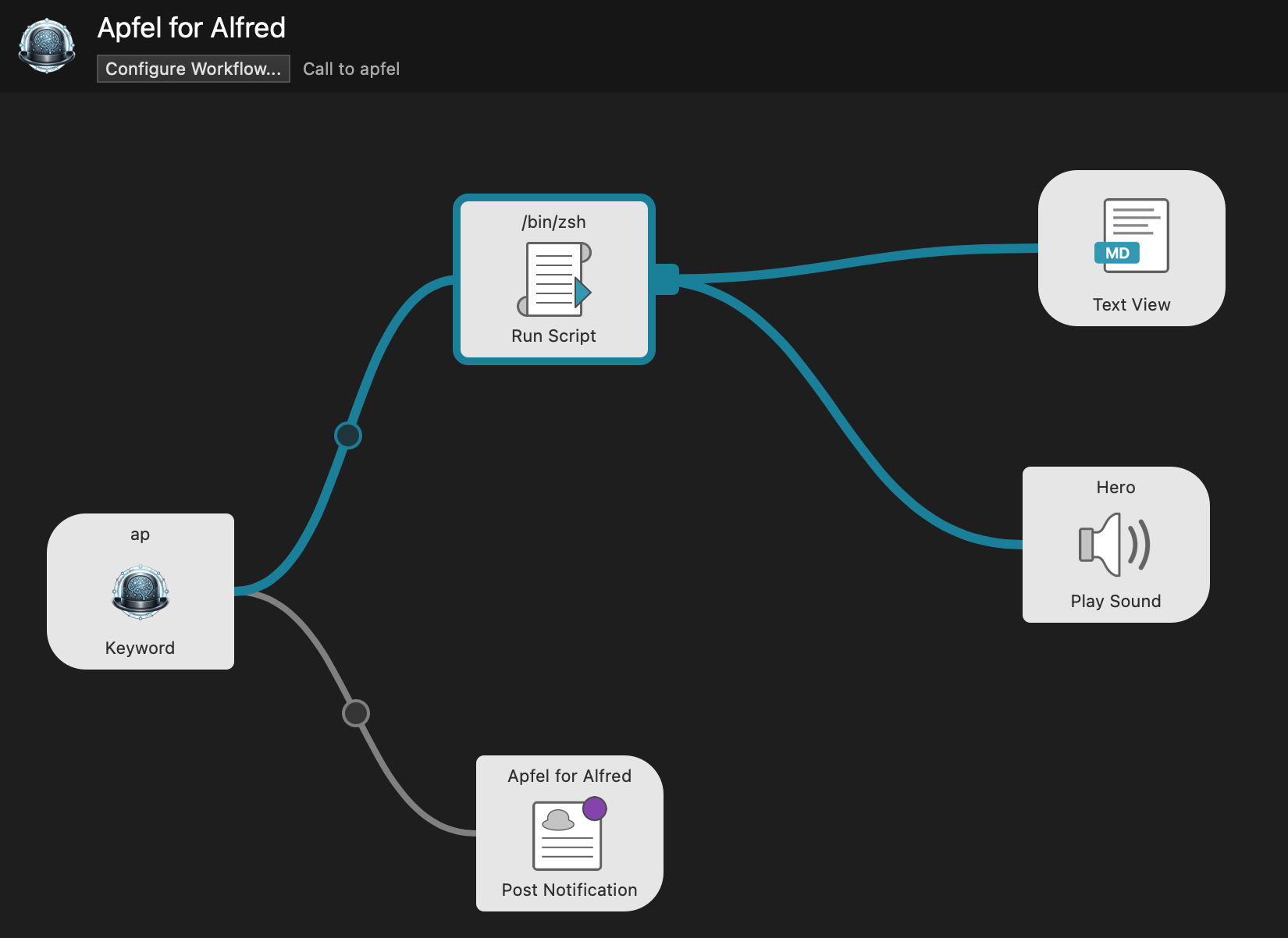
Within Alfred is a workflow editor, you can see what the output from this looks like in the image above.
Creating the Workflow
The first thing I did was set the trigger keyword which in my case I have chose “ap”. This means that when Alfred is triggered and the user types “ap” my workflow will be run on pressing enter.
I found after a bit of digging around that you can create a step to run a script and then any output from this can be displayed in a Markdown pop-up window. This is my very simple code:
source ~/.zshrc

echo "# {query}"
echo

/opt/homebrew/bin/apfel "{query}"
The two echo statements simply print out the query entered and the # at the beginning make this a Markdown header. Then I call apfel passing the query. For example, triggering Alfred and entering:
ap what do you know about the williams f1 team
Produces the following output:

This looks ok and if you have too much text for the window it can be scrolled. You can also copy the text and paste it elsewhere and to close it you simply press ESC.
Let’s Talk about the Model
So far, so good. But let’s talk a little bit about the Apple Intelligence model. Basically, it’s not very good. Here are a couple of examples why…

As I write this, it is May 2026, and Rishi Sunak definitely is not the Prime Minister of the UK. The on-device Apple LLM hasn’t been updated since October 2023 and so is very out-of-date. As it has no way of checking on the internet it gives inaccurate results.

This is basically the same issue, but it reads as if 2024 is in the future, which could be confusing if you don’t know about the October 2023 cut-off date.

And then there are the factual inaccuracies. You may not know anything about the Williams F1 team, but believe me, Juan Manuel Fangio never drove for a team founded in 1977.
Pros and Cons
I like the idea of both Apple Intelligence and apfel. If I’m going to have to carry around an offline LLM on my laptop, it is great that apfel exposes that so we can all use it, and using Alfred negates the need to drop into a terminal session. However, the out of date model does make less useful for general queries.
Pros:
- Offline
- Free
- No training
Cons:
- Out of date (model up to end of 2023)
- No access to internet
- Can be factually incorrect