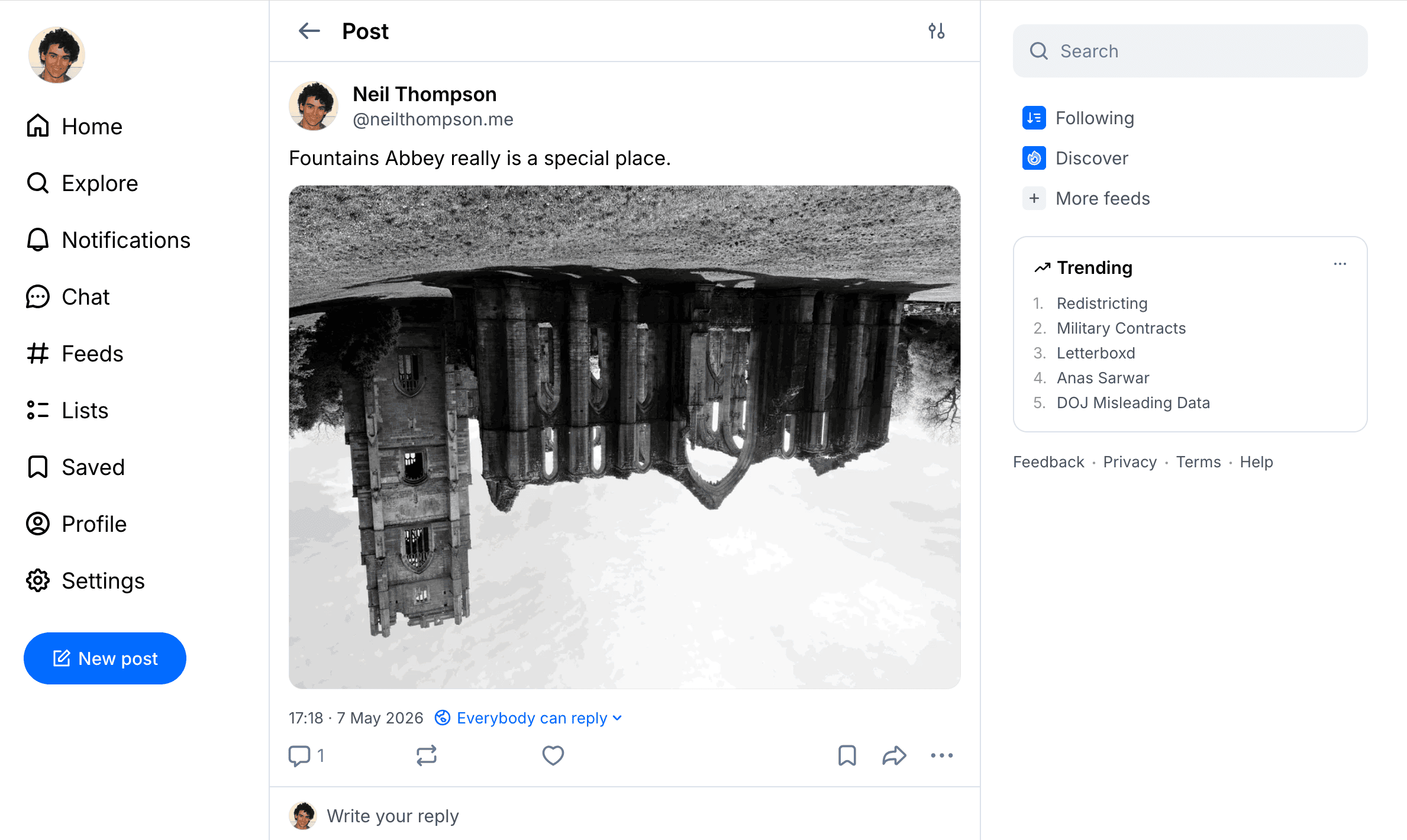
I have a PHP application that I use to post to my X, Mastodon and Bluesky accounts. This works well but I noticed the last time I posted an image from my iPhone that while it was fine on X and Mastodon on Bluesky the image was upside down (see above and here)!
Interestingly this only happens when posting via the Bluesky API, if you upload the same from the web interface, for example, it works fine.
Enter EXIF
When you take a picture with a modern digital camera, such as an iPhone, it embeds into that image some hidden data about it such as what it was taken on, date and time it was taken and image size. This data is called the Exchangeable image file format, or EXIF for short.
You can read the EXIF data in PHP so I loaded up the image and then ran the following:
$exif = exif_read_data($image_path);
print_r($exif);
This produced the following output which has been truncated for the purposes of this post:

I have highlighted the important value in the EXIF data: “Orientation” which returns one of the following values:
| Value | Meaning | Action Required to Fix |
|---|---|---|
| 1 | Normal | None (Top is top, left is left). |
| 3 | Upside Down | Rotate 180°. |
| 6 | 90° CW | Rotate 90° clockwise (common for portraits). |
| 8 | 90° CCW | Rotate 90° counter-clockwise. |
Using this information it is therefore possible to correct the orientation of the image.
Correcting the Orientation in php2Bluesky
Given that I am able to get the EXIF data and work out what needs to be done I decided to add this to php2Bluesky. Basically, the code looks a little something like this:
$exif = exif_read_data($image_path);
if (!empty($exif['Orientation'])) {
    switch ($exif['Orientation']) {
        case 3:
            imagerotate($image, 180, 0);
            break;
        case 6:
            imagerotate($image, -90, 0);
            break;
        case 8:
            imagerotate($image, 90, 0);
            break;
    }
}
As an aside, imagerotate() completely discards the original EXIF data in the process so if you upload again there is no orientation to use.
NOTE: the default for this option is on and so any images that you send will be automatically rotated if necessary. If you don’t want that to happen add this parameter when setting up the connection:
$php2Bluesky = new php2Bluesky($autoRotate = FALSE);
Now I can post images to all my platforms and be safe in the knowledge that the images will be the right way up!
As ever you can find the latest code here or just update from composer. I have also similarly updated php2Micropost too.