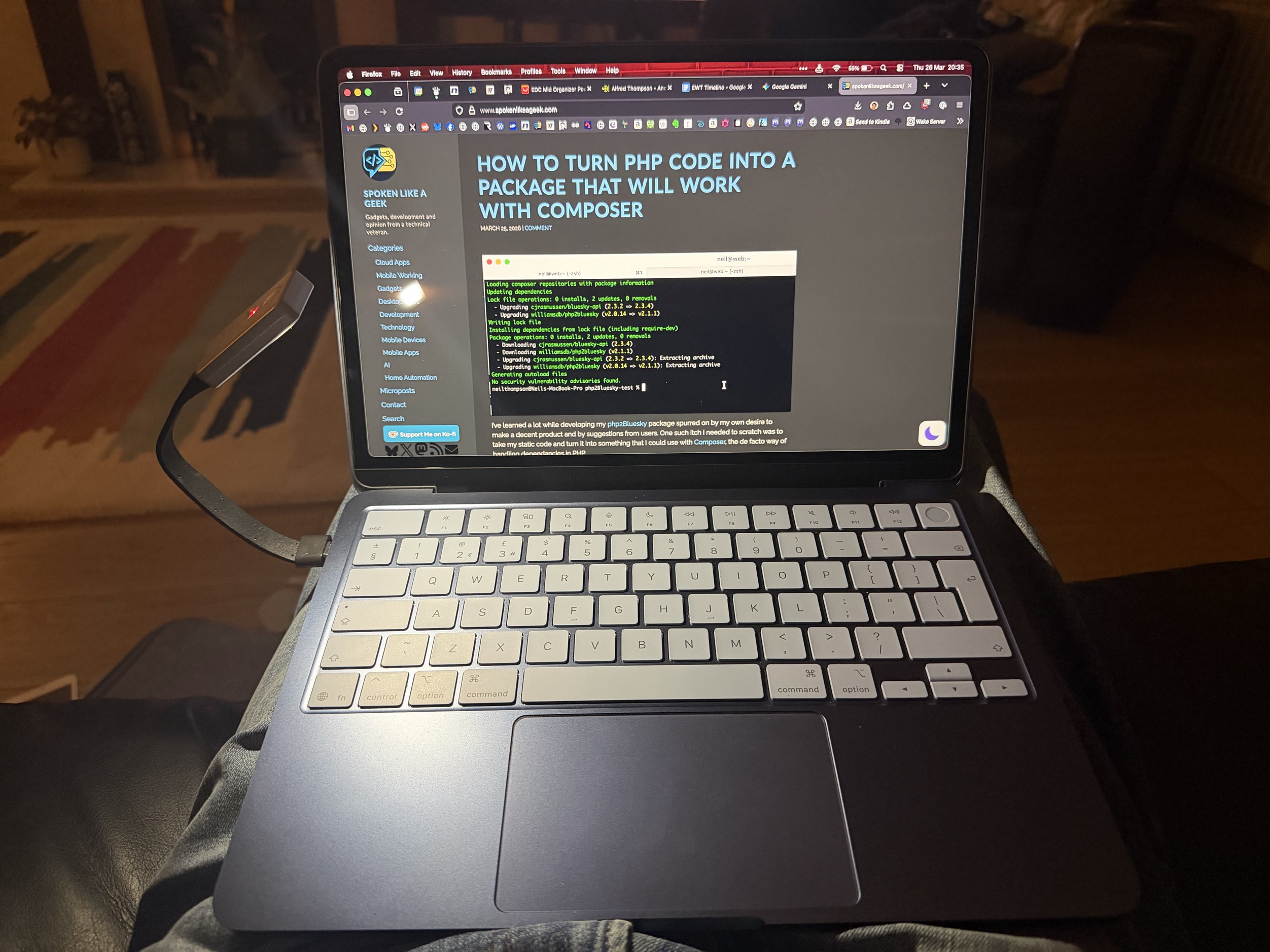
When I wrote about my new MacBook Neo my biggest complaint about it was the back of a backlit keyboard. You can read my review about the machine here:
Since then I have been looking at potential solutions that work and don’t add too much weight for when I am travelling. I have to admit that I don’t often actually need a lit keyboard as the ambient light is usually enough but occasionally it’s good to have.
I really like the Ulanzi light that I have for my Xteink X3 as it has a wide light bar that spreads light evenly, but it is magnetic and to use it would require sticking a magnet to the back of the lid of my Mac, which I didn’t want to do.
Xteink to the Rescue!
The answer, for me at any rate, was the official XTEINK eReader Magnetic Reading Light. While this is also magnetic like the Ulazni, crucially, with this the magnet can be removed from the base. This is because the base of the light is a USB A plug that is used to charge the light. To this I attached an USB A to USB C convertor and that allows me to plug the light into the ports on the MacBook. The stem of the light is flexible allow it to be angled down onto the keyboard. Of course, because this is to one side of the MacBook the light is stronger on the left than the right but it’s not too much of an issue.
If you are looking for a cheap (it’s only £8) and simple solution to providing lighting when using your MacBook Neo in the dark the XTEINK eReader Magnetic Reading Light could be just what you need.


