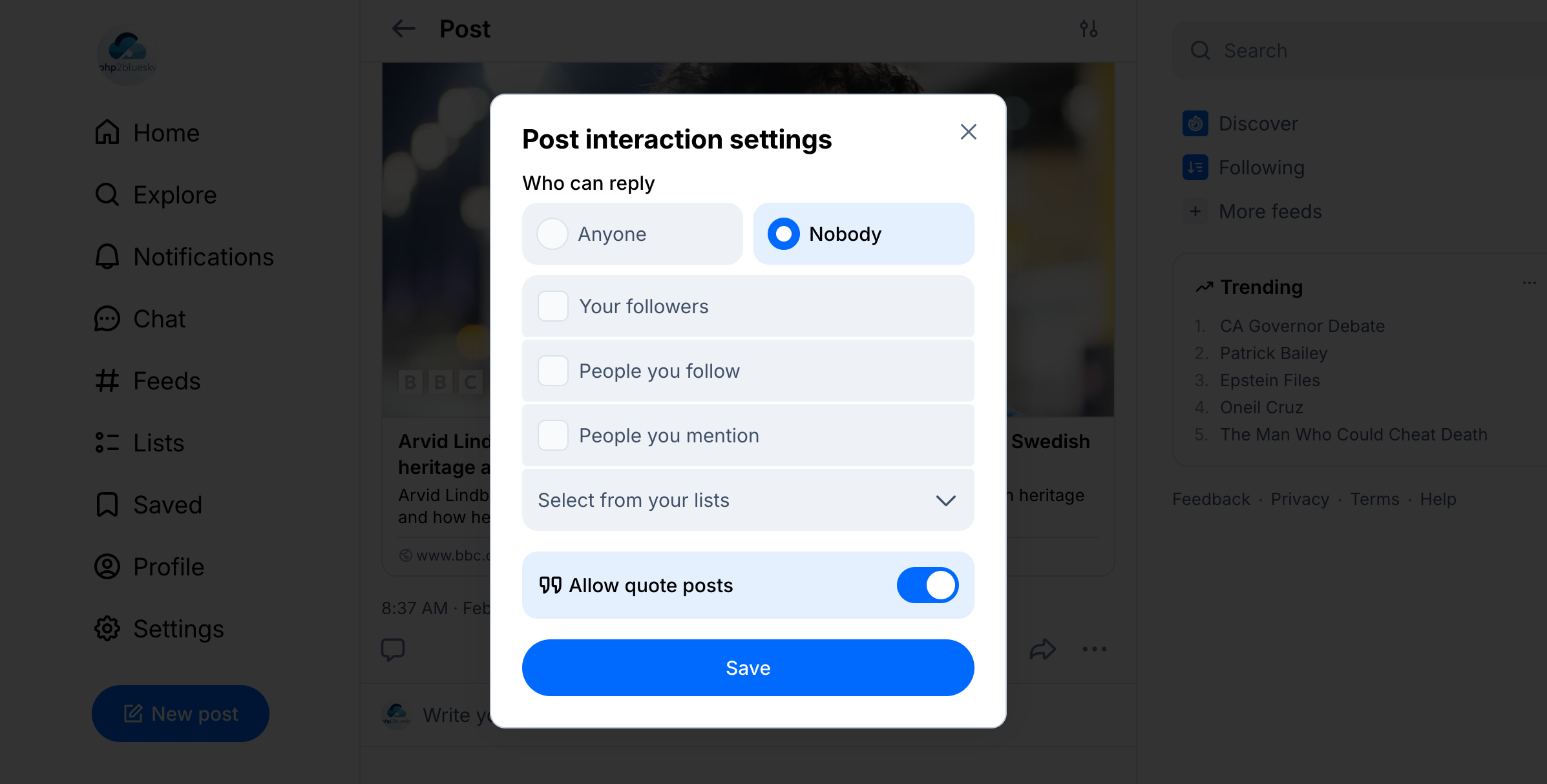
I had an email from a php2Bluesky user who wanted to know how you could set the restrictions on who could reply to a post. This was something that php2Bluesky didn’t support, but I thought it would be good to, so I have updated the code. Here’s how to use that feature.
Thread Gates
Looking at the Bluesky web app there were six different options you could select to set who could respond to a post:
- Everyone (the default)
- Nobody
- Your followers
- People you follow
- People you mention
- Anyone in a list you provide.
I did a bit of research and found that post restrictions are called “Thread gates” in Bluesky parlance and you are only able to set them after posting. This means it is a two stage process: post and then apply a thread gate.
Here’s a simple example:
$connection = $php2Bluesky->bluesky_connect($handle, $password);

$text = "This is some text to which only @spokenlikeageek.com can reply.";

$response = $php2Bluesky->post_to_bluesky($connection, $text);

$php2Bluesky->add_restrictions($connection, $response, 'Mention');
As you can see there are three parameters:
- the connection string (from
$php2Bluesky->bluesky_connect) - the response from posting (from
$php2Bluesky->post_to_bluesky) - a string or an array of “allow” values.
You can send up to five allow values as an array, i.e ['mention', 'follower'] and the allowed values are as follows:
| Allow Value | Explanation |
|---|---|
| mention | Anyone mentioned in the post |
| following | Anyone you are following |
| follower | Anyone who is a follower |
| list | Anyone in this list… NOT CURRENTLY SUPPORTED |
| [] | Empty array – nobody can reply |
Setting for old posts
It is also possible to set the restrictions for any post that is in your account – all you need is the URL of the post itself.
Retrieving the old post
There is an existing function in php2Bluesky, get_from_bluesky, that allows you to retrieve any existing post in your account. All you need is the full URL of it, for example: https://bsky.app/profile/php2bluesky.dev/post/3mftcnh5czt2n.
$connection = $php2Bluesky->bluesky_connect($handle, $password);

$response = $php2Bluesky->get_from_bluesky($connection, 'https://bsky.app/profile/php2bluesky.dev/post/3mftcnh5czt2n');

print_r($response);
This returns an object with the following contents, which we are going to use to update the restrictions, but you can obviously use the content for anything.

Updating the restrictions on an existing post
Now that we have the post details we can update the restrictions just as we did before. For example:
$connection = $php2Bluesky->bluesky_connect($handle, $password);

$response = $php2Bluesky->get_from_bluesky($connection, 'https://bsky.app/profile/php2bluesky.dev/post/3mftcnh5czt2n');

$php2Bluesky->add_restrictions($connection, $response, []);
And that’s it – you’re all set. Download the latest version from Github or update via composer if you are using it and start restricting your post replies!