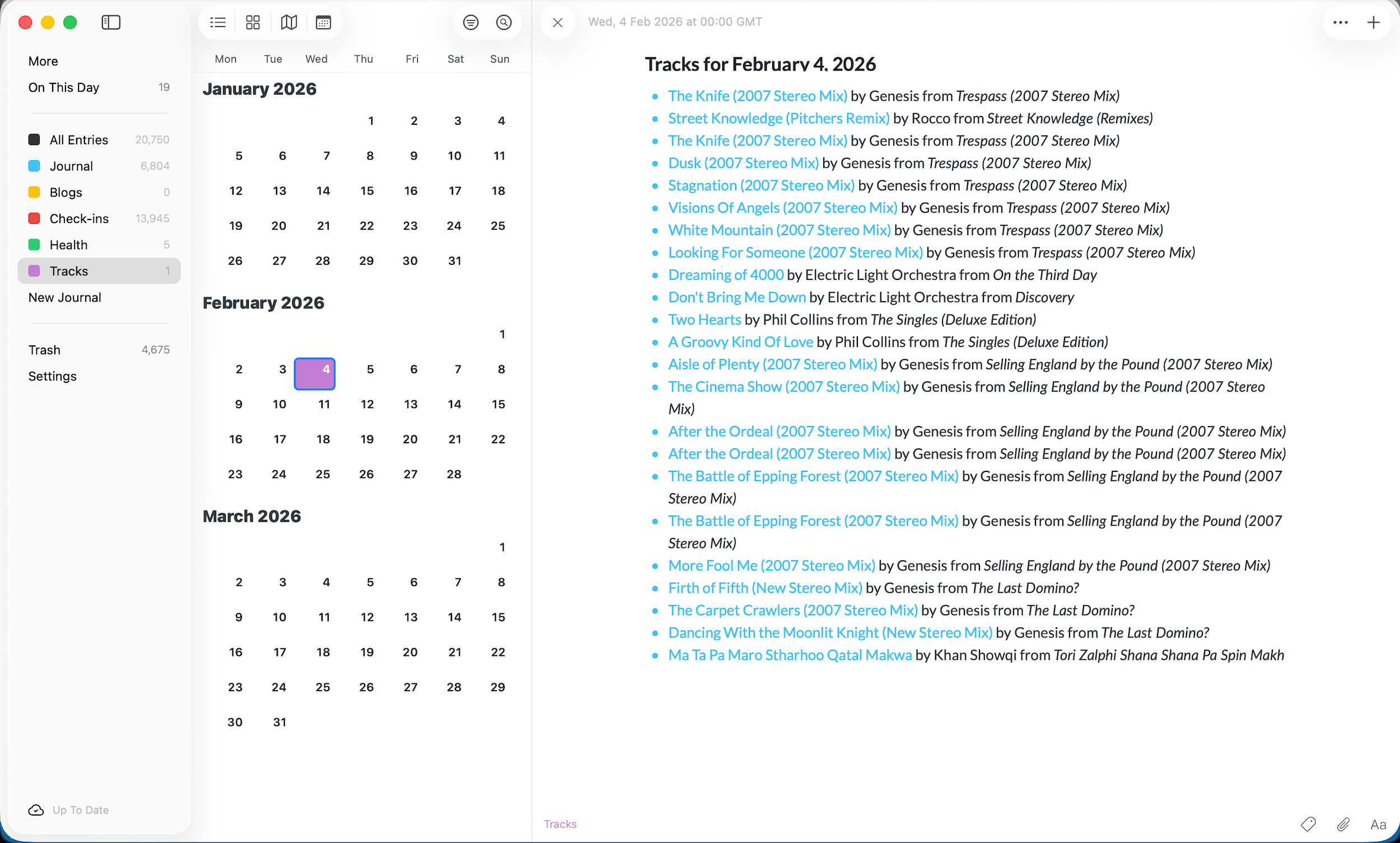
Having already written routines to export WordPress posts and Foursquare check-ins to Day One, I hadn’t intended to do any more, but here I am, back with exporting Last.fm Scrobbles to Day One. That’s because I read a post on the Day One Subreddit where someone was asking how you could do it and I rashly said I’d give it a go!
I couldn’t contemplate writing a script to go back over all my 130,947 scrobbles recorded over 21 years so this script just processes scrobbles for the last seven days.
What Exactly is a Scrobble?
Last.fm is a service that has been around for over 20 years and it allows users to record and track music that they have been playing. Each listen made is sent to Last.fm as what is called a “scrobble” and these are aggregated into stats. Support for scrobbling is patchy but it is available in Spotify and self-hosted systems such as Plex.

Setting up the code
There are a small number of pre-requisites to run this script:
- It is Mac only. Sorry but Day One only provide the CLI on MacOS
- You need to have Day One installed (obvs!)
- You need a Last.fm api account (see more on this below).
Next, either clone or download the code from here into a folder on your machine. It’s self contained with no dependancies.
Last.fm API
The script uses only one Last.fm API method, user.getRecentTracks, and this requires no authentication other than passing your api key and Last.fm username. This makes the setup considerably easier than it might have been otherwise. Go ahead and register for an Last.fm api account here if you don’t already have one.
In the src folder rename config_dummy.php to config.php, edit the file in your favourite editor and then copy your API key to the config.php file and add your username in the next line:
// ------------------------
// CONFIG for lfm2do.php
// ------------------------
define("CLIENT_KEY", "<your client key here>");
define("LASTFM_SESSION_USER", "<your LastFM session user here>");
define("DAYONE_JOURNAL", "<your DayOne journal name here>");
define('PROGRESS_FILE', __DIR__ . '/progress.json');
define('LOG_FILE', __DIR__ . '/lastfm_import.log');
define('FETCH_LIMIT', 250);
define('MAX_RETRIES', 5);
define('DEBUG', TRUE);
And that’s it for setup.
Running the code
Similarly running the code is very straightforward as there are no paramters – just go to the src folder and run the following:
php lfm2do.php
As it is running you will see output similar to that shown below. The entries will be added to your chosen Day One Journal and, given that it is only processing the last seven days, won’t take long.

Points to note
As I said at the outset, this script only processes the last seven days of scrobbles. It does keep a log of what was the last record that it processed and ignores any that it has already recorded. However, if you run the script halfway through a day, for example, and then run it at the end of the day, you will get two entries in your Day One journal. This is because there is no facility to append to an existing entry via the Day One CLI.
My reccomendation would be to add an entry in launchd to run the script on startup every Monday morning, for example. That’s a discussion for a different blog post though.
Hope that you get some use out of the script and if you find any problems please either leave a comment below or raise an issue here.