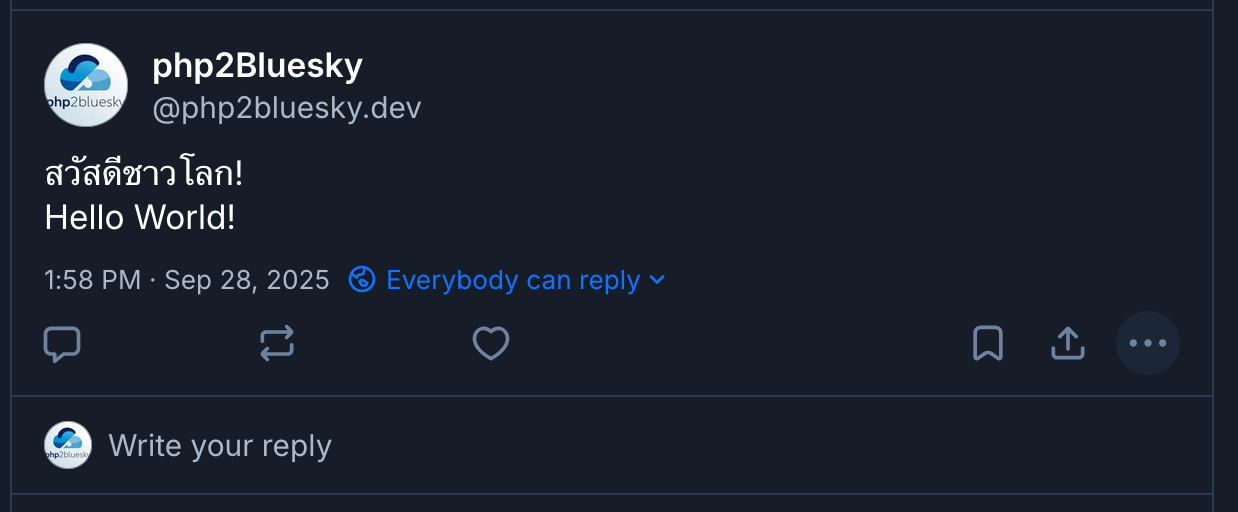
A while back I pushed an update to php2Bluesky that allows for multiple language posts and forgot to post the change so I am correcting that now!
Setting the language
By default the language of your posts is set to English but you can override this in one of two ways. Either specify the language when creating the instance of php2Bluesky or pass it when posting. It must be an array even if you are passing a single language.
Setting the Language Globally
If you want all your posts to be labelled in a language other then English then you can set the default language when you instantiate php2Bluesky. The following example sets the default language to French:
$php2Bluesky = new php2Bluesky($linkCardFallback = 'RANDOM',
                               $failOverMaxPostSize = FALSE,
                               $randomImageURL = 'https://picsum.photos/1024/536',
                               $fileUploadDir='/tmp'
                               $defaultLang = ['fr']);
Setting the Language Per-post
It is also possible to set the language for each post. You do this be passing the language array as a parameter to the existing post_to_bluesky function:
$response = $php2Bluesky->post_to_bluesky(connection: $connection,
                                          text: $text = "Bonjour le monde!",
                                          media: $media = "",
                                          link: $link = "",
                                          alt: $alt = "",
                                          labels: $labels = ""
                                          lang: $lang = ["fr"]);
Multiple Languages in One Post
It is also possible to pass multiple languages in the same post. To be clear, if you do this all languages appear in the same post (see image at the top of this post for an example). All the language information does is effectively label the post so that speakers of that language can isolate posts in their native language.
If you wish to do this you need to separate the language text by a PHP_EOL and pass an array of langauges to post_to_bluesky:
$response = $php2Bluesky->post_to_bluesky(connection: $connection,
                                          text: $text = "Bonjour le monde!".PHP_EOL."Hello World!",
                                          media: $media = "",
                                          link: $link = "",
                                          alt: $alt = "",
                                          labels: $labels = ""
                                          lang: $lang = ["fr", "en-GB"]);
And that’s it – your’re all set. Download the latest version, with multi-language support, from Github or update via composer if you are using it.